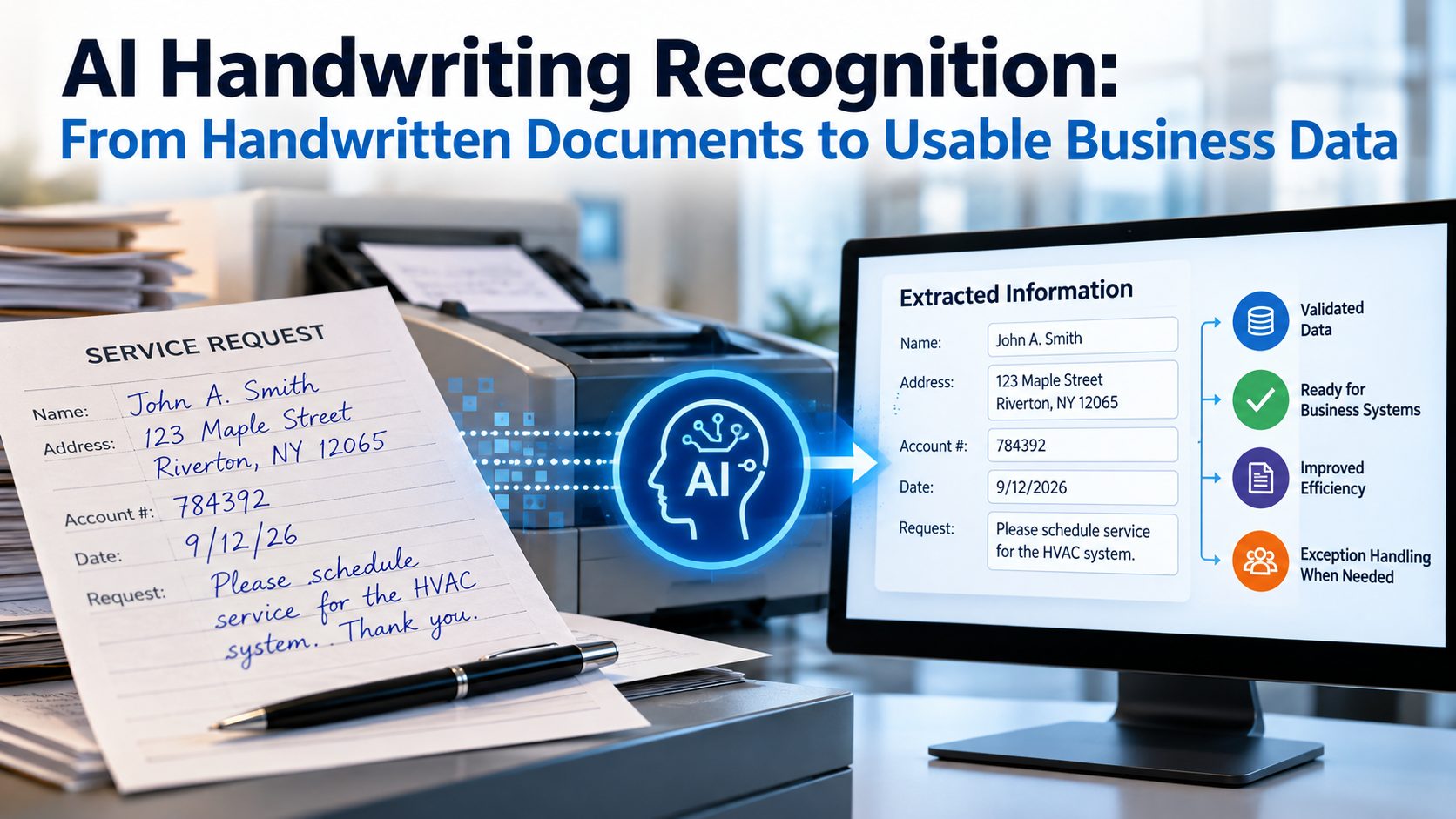
Artificial intelligence is appearing in almost every conversation about document automation.
But adding AI to a document workflow does not automatically make that workflow intelligent.
If incoming information is poorly captured, inconsistently classified, difficult to find, disconnected from business processes, or impossible to trace, adding artificial intelligence does not automatically solve those underlying problems.
That creates an important distinction:
An AI-enabled tool and an AI-ready document workflow are not the same thing.
An AI-ready workflow creates the conditions that allow intelligent capture, recognition, classification, data extraction, automation, and future AI technologies to work with information effectively.
And those conditions begin long before an AI system analyzes a document.
They begin at capture.
What Does “AI-Ready” Actually Mean for a Document Workflow?
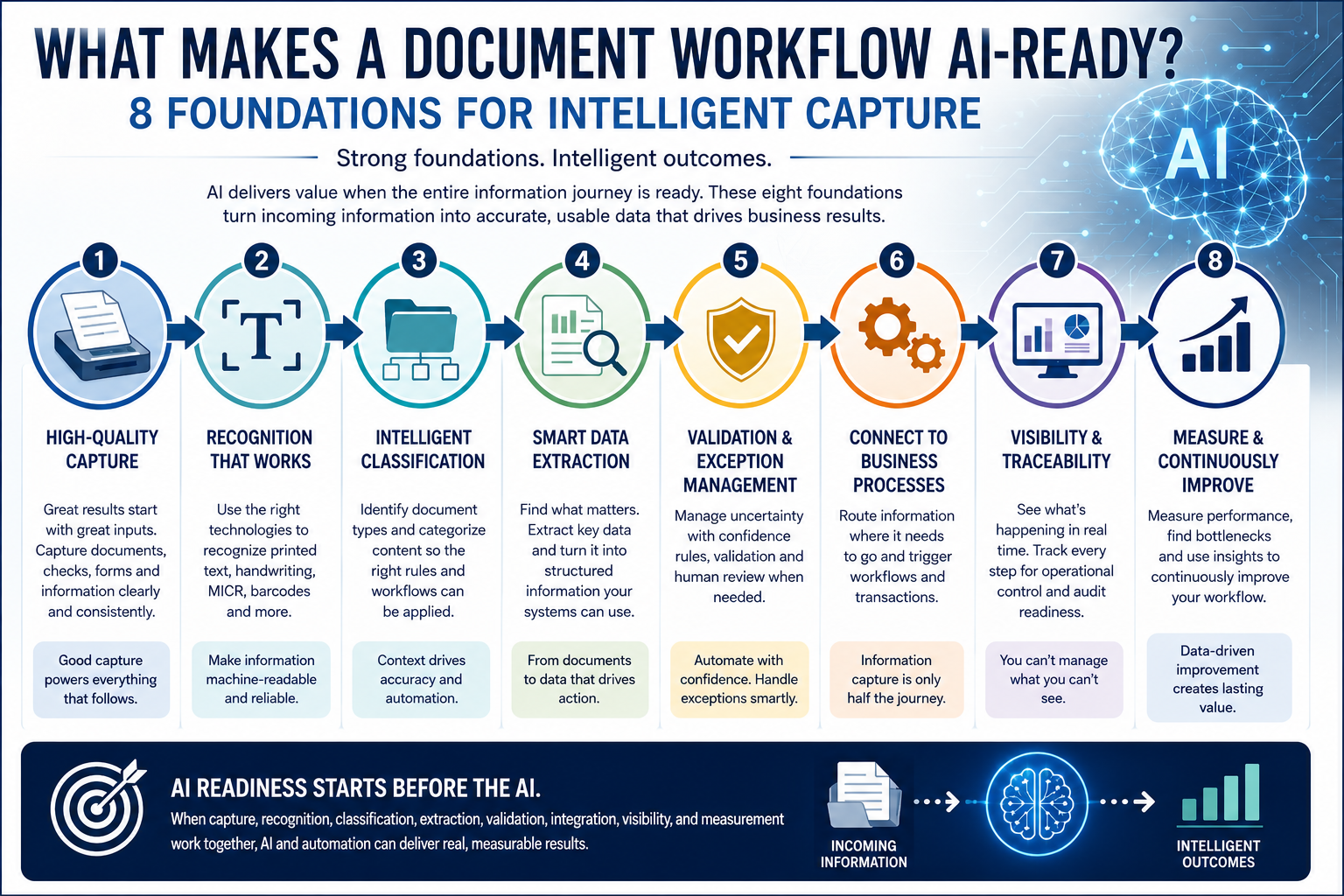
An AI-ready document workflow turns incoming information into usable, structured, accessible information that downstream systems and business processes can use.
Consider a paper form.
Scanning the form creates a digital image.
Optical Character Recognition (OCR) can convert printed or handwritten characters into machine-readable text when the recognition technology supports the content being processed.
But several important questions remain.
What type of document is it?
Which information on the page matters?
Who or what transaction does it belong to?
Where should it go?
Does the information need validation?
What happens if handwriting appears on the form?
Is there a barcode or another machine-readable identifier?
Do several pages belong to the same transaction?
And perhaps most importantly:
What should happen after the information is captured?
Intelligent automation becomes much more useful when the surrounding workflow can answer those questions.
That requires a foundation.
Foundation 1: Start With High-Quality Capture
Everything downstream depends on what enters the workflow.
If an original image is incomplete, distorted, poorly oriented, low contrast, or difficult to read, recognition becomes more challenging.
This is why capture should not be treated simply as the preliminary step before the “intelligent” work begins.
Capture is part of the intelligence architecture.
Modern workflows may receive information from many sources and in many forms, including:
- Physical documents
- Forms
- Checks
- Scanned images
- Barcodes
- Printed information
- Electronic files
The objective is to create a usable digital representation from which the information required by the business process can be recognized and processed.
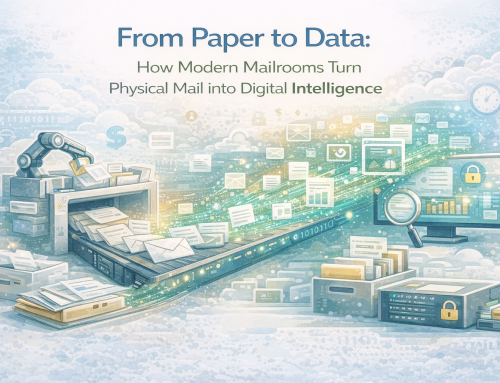
This principle connects directly with the physical-to-digital transformation discussed in From Paper to Data: How Modern Mailrooms Turn Physical Mail into Digital Intelligence.
Digitization gets information into the digital environment.
AI readiness determines how effectively that information can move forward.
Agissar‘s experience at this stage of the information journey predates today’s AI discussion. The company’s IDC – Integrated Document Capture Extract approach connected automated mail extraction with scanning to capture images of inbound documents directly within mailroom operations.
That physical-to-digital connection remains important as capture technologies become more intelligent.
Foundation 2: Recognize the Information That Matters
Once information has been captured, a system needs a way to recognize what is present.
OCR remains an important technology within this process.
At its core, OCR converts images containing text into machine-readable characters.
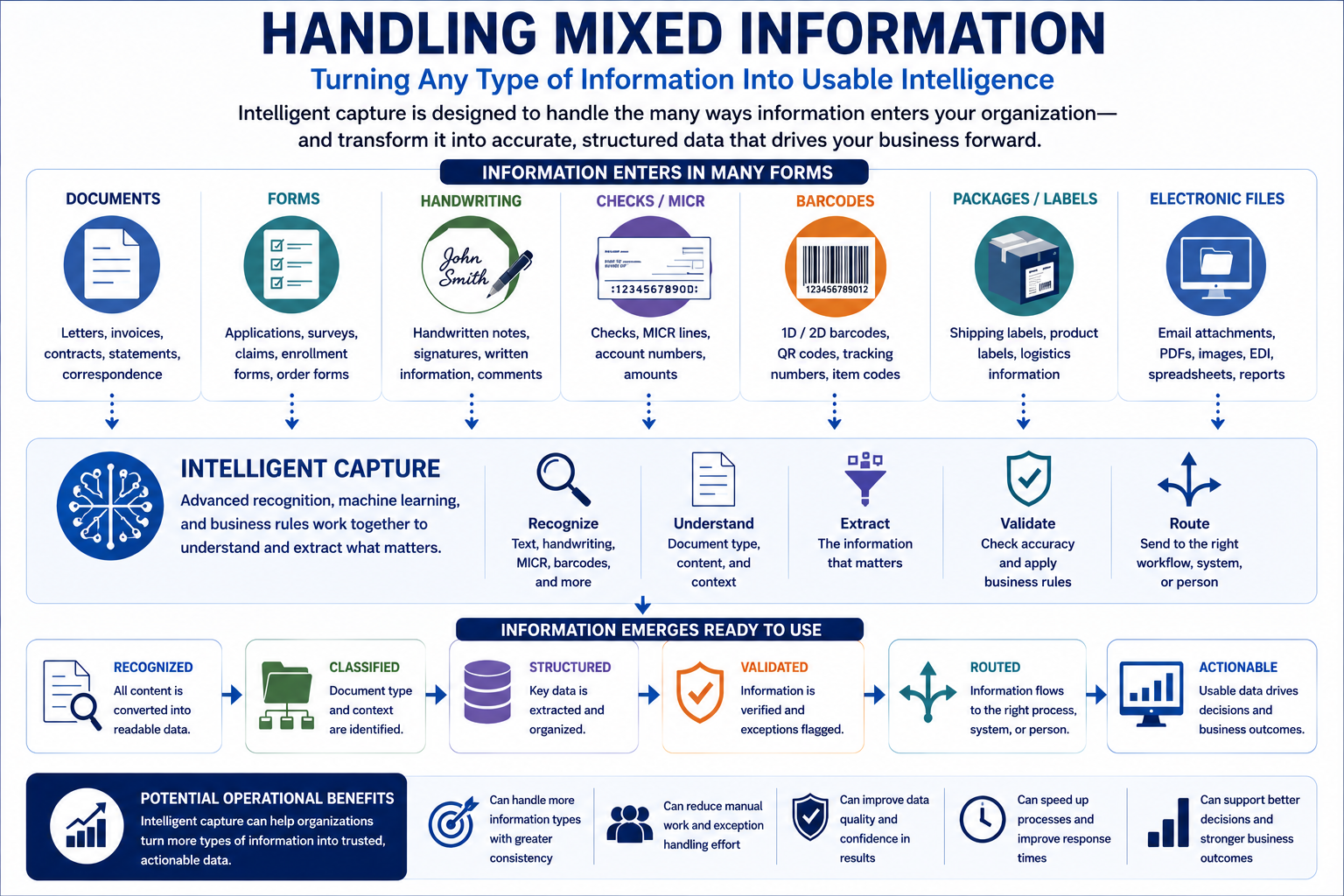
But real-world information is not limited to neatly printed paragraphs.
An organization may encounter:
- Machine-printed text
- Handwritten information
- Numbers
- Check information
- MICR data
- Barcodes
- Checkboxes and selection marks
- Variable document layouts
Different information types may require different recognition or decoding technologies.
Printed text may be processed using OCR. Handwriting requires recognition technology capable of handling handwriting. Barcodes and MICR information use technologies designed for those particular data formats.
An AI-ready capture environment should therefore be designed around the information the organization actually receives rather than assuming every valuable piece of information looks the same.
The objective is not simply to produce text.
It is to capture the information required by the business process.
Foundation 3: Give Information Context Through Classification
Recognizing characters is different from understanding what kind of document has arrived.
Imagine a workflow receiving an application, check, customer letter, claim, order, invoice, and standardized form.
Each contains information.
But they do not necessarily belong in the same workflow.
If an employee must inspect every incoming item before determining what it is and where it belongs, much of the potential value of automated capture disappears.
This is where document classification becomes important.
Classification identifies document types or categories so that the appropriate processing path can be applied.
That matters because different documents can require different actions.
A check does not necessarily follow the same processing path as correspondence.
An application may require different data fields from an invoice.
A handwritten form may require different recognition and review steps from a standardized machine-printed document.
Classification provides context.
And context is one of the major differences between simply digitizing information and intelligently processing it.
Foundation 4: Turn Relevant Information Into Structured Data
After identifying the document or information type, the workflow must determine which information matters.
A document can contain hundreds or thousands of characters while only a handful may be necessary for the business transaction.
Depending on the process, useful information might include:
- Account numbers
- Names
- Dates
- Transaction amounts
- Identification numbers
- Form fields
- Barcode values
- Check information
- Reference numbers
Data extraction moves document automation beyond simply creating searchable text.
It identifies relevant information and makes it available in a structured form that another process or system can use.
That distinction becomes increasingly important as organizations adopt more advanced automation.
A searchable image can help a person find information.
Structured data can help a system use it.
This is one of the fundamental shifts involved in moving from document scanning toward intelligent information capture.
Foundation 5: Plan for Validation and Exceptions
No responsible automation strategy should assume that every incoming item will be perfect.
Real-world workflows contain exceptions.
Information may be incomplete.
An image may be difficult to interpret.
Handwriting may be ambiguous.
A required field may be missing.
A document may not match an expected category.
Recognition or extraction confidence may not be sufficient for straight-through processing.
An AI-ready workflow therefore needs a deliberate method for handling uncertainty.
Depending on the technology and application, that may include:
- Validation rules
- Confidence thresholds
- Exception queues
- Human review
- Correction workflows
The objective should not simply be to remove people from the process.
A stronger approach is to automate appropriate work while directing human attention toward situations where verification or judgment is required.
This is sometimes described as human-in-the-loop processing.
In practical terms, it means acknowledging something simple:
Automation should know when an exception needs attention.
That creates a more realistic foundation for intelligent capture.
Foundation 6: Connect Capture to the Business Process
Extracting information is not the end of a useful document workflow.
Often, it is where the useful work begins.
Captured information may need to:
- Start a transaction
- Update another system
- Enter a repository
- Trigger a workflow
- Reach the correct department
- Become part of an existing case
- Support another processing step
- Create or contribute to an audit trail
This is why intelligent capture should not be evaluated only by how well technology can read a page.
Organizations should also ask:
What happens to the information after it is captured?
Imagine a system that extracts a field perfectly but still requires an employee to manually copy that result into another application.
Recognition has been automated.
The workflow has not.
AI-ready workflows should therefore connect capture to action wherever the business process supports it.
The value is not simply in understanding incoming information.
It is in making that information useful.
Foundation 7: Maintain Visibility and Traceability
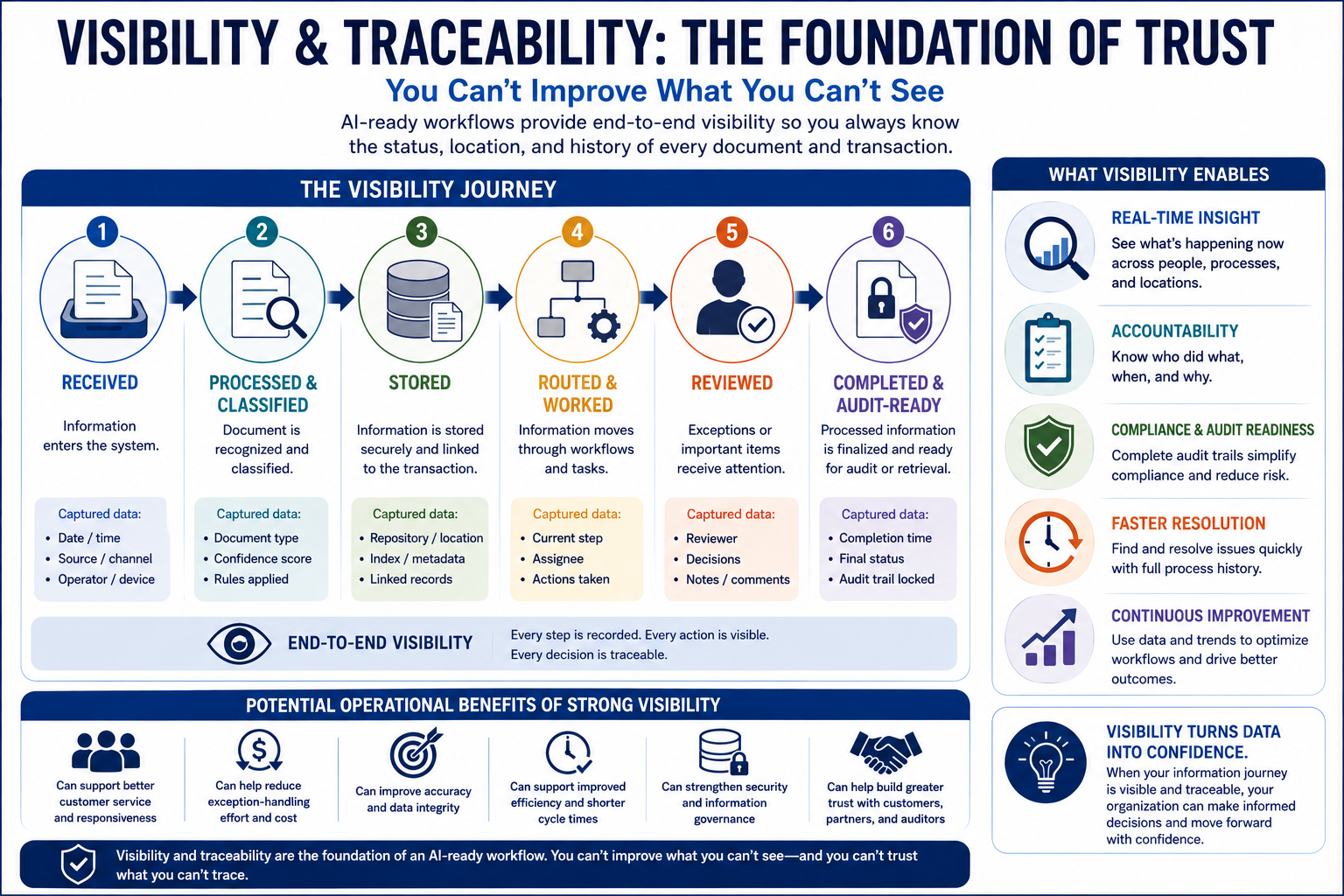
Intelligent automation becomes difficult to manage if the organization cannot see what is happening.
A modern workflow should make it possible to answer questions such as:
- When did information enter the process?
- What was captured?
- How was the item classified?
- What stage is it currently in?
- Was an exception or human review required?
- Where is the document or transaction now?
- What happened next?
This connects directly with two earlier topics in our document automation series: real-time document visibility and audit-ready workflows.
Visibility helps an organization understand what is happening now.
Traceability helps reconstruct what happened before.
Both become increasingly important as automation takes on more processing responsibilities.
Agissar’s existing technology already provides an important bridge into this concept.
INFOPointe™ provides real-time data capture and works with the INFOPoll® Enterprise Edition software platform, while Agissar’s broader INFOPoll environment has been developed around production information, process measurement, and visibility.
The principle is important:
Organizations should not have to sacrifice accountability in order to gain automation.
In fact, increased automation can make good visibility even more valuable.
Foundation 8: Measure What the Workflow Is Actually Doing
There is one final characteristic of an AI-ready workflow that is easy to overlook.
It should be measurable.
Organizations need to understand how their processes are performing before and after automation is introduced.
Useful operational questions can include:
- Where are processing delays occurring?
- Which document types require the most manual attention?
- Where do exceptions originate?
- Which stages create bottlenecks?
- Where is work accumulating?
- Are process changes actually improving the operation?
Without measurement, an organization can automate work without knowing whether the underlying process improved.
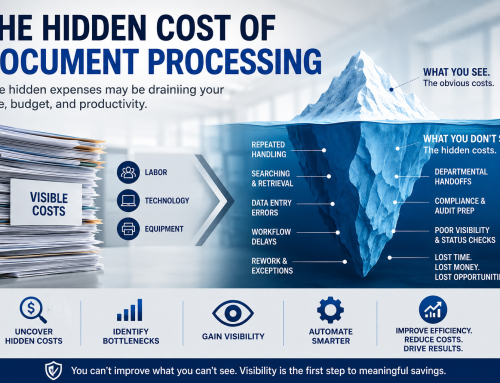
This relates directly to the hidden workflow expenses discussed in Where Document Processing Costs Really Come From: 9 Hidden Workflow Expenses.
Visibility reveals what is happening.
Measurement provides evidence for what should improve next.
That creates a feedback loop:
Capture → Process → Measure → Improve
AI readiness is therefore not simply a technical state achieved once.
It is part of an operating model that can continue improving as the organization’s information, processes, and technologies evolve.
OCR Alone Does Not Make a Workflow AI-Ready
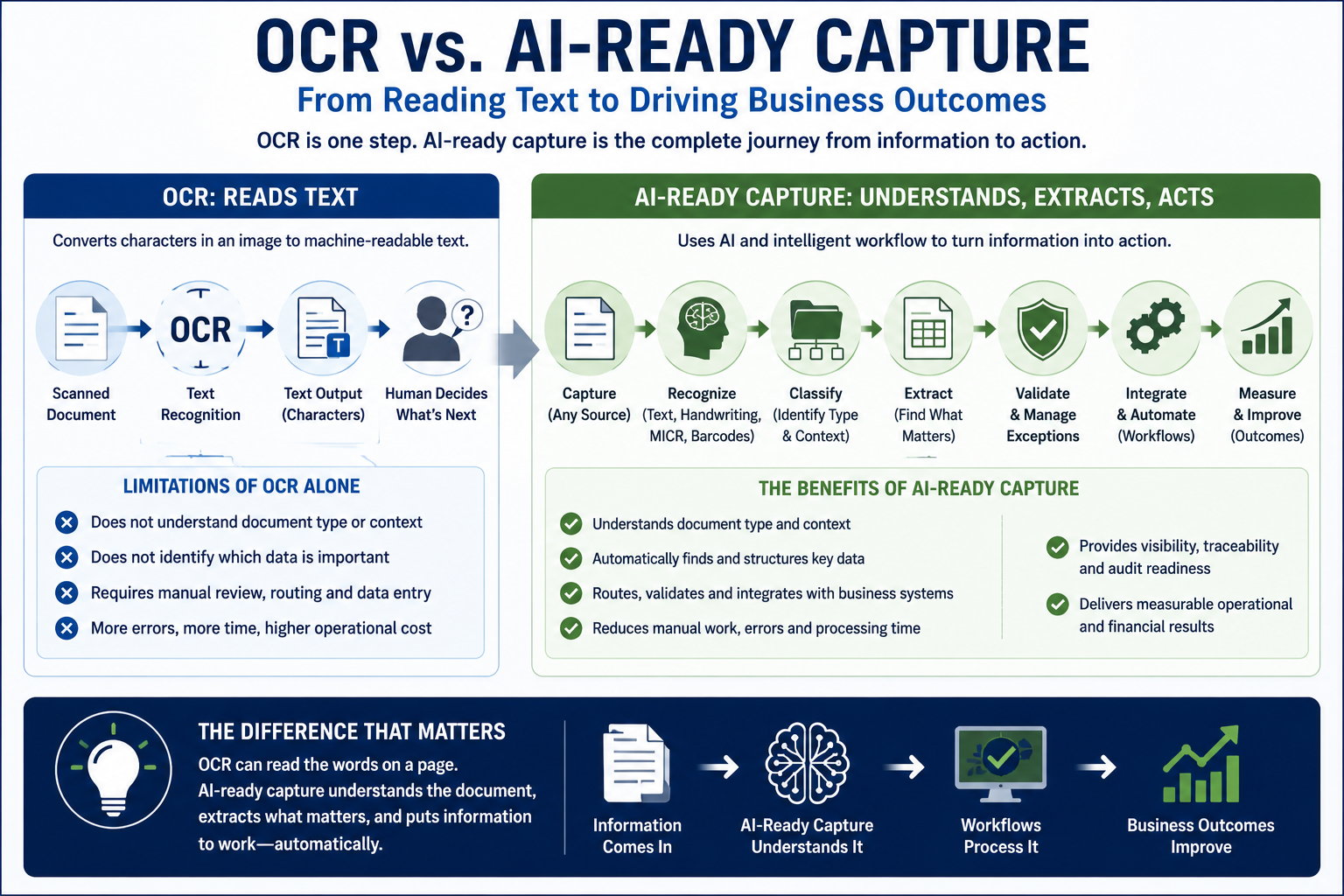
OCR remains extremely valuable.
But OCR and an AI-ready document workflow solve different problems.
At a basic level, OCR answers:
What characters can be recognized in this image?
An intelligent capture workflow may need to answer additional questions:
What is this?
Which information matters?
Where does it belong?
Does it need validation?
What should happen next?
The larger information journey therefore looks more like this:
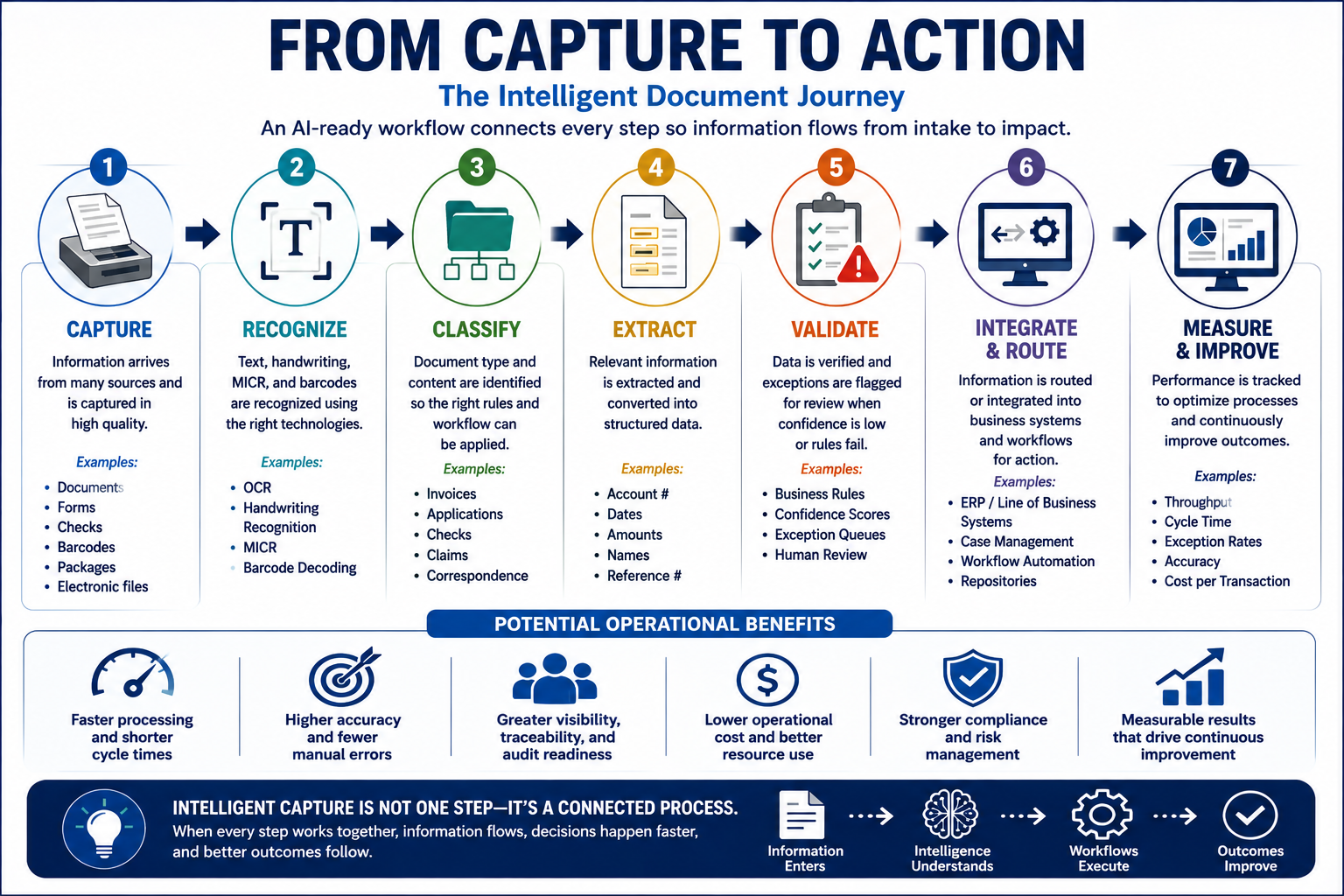
Capture → Recognize → Classify → Extract → Validate → Process → Measure
Each stage adds something important.
Capture provides the input.
Recognition makes information machine-readable.
Classification establishes context.
Extraction identifies useful data.
Validation manages uncertainty.
Processing connects information to action.
Measurement provides operational feedback.
This is why organizations evaluating AI-powered document automation should look beyond individual recognition features and examine the complete information journey.
What About Handwriting, Barcodes, Checks, and Mixed Information?
The definition of capture becomes more interesting when we stop assuming that every input is a conventional office document.
Organizations operate with many kinds of information.
Important data can appear in:
- Handwriting
- Barcodes
- Checks
- Forms
- Labels
- Packages
- Printed documents
- Mixed document batches
These information types do not necessarily require identical recognition technologies or processing paths.
That creates a broader challenge than document scanning alone.
The traditional question was:
How do we scan this document?
The more useful question is becoming:
How do we turn whatever enters this process into information the organization can use?
That shift—from scanning pages toward capturing and processing information—is an important part of the evolution of intelligent capture.
AI Readiness Starts Before the AI
Modern document AI technologies can analyze recognized text alongside document layout and structure, allowing captured information to be interpreted with more context than text recognition alone.
Those capabilities are advancing quickly.
But more sophisticated technology does not remove the need for strong operational foundations.
AI cannot indefinitely compensate for:
- Poor inputs
- Fragmented workflows
- Inaccessible information
- Undefined exceptions
- Missing integration
- Limited visibility
- Processes that nobody measures
Organizations preparing for AI-driven document processing should therefore strengthen the workflow surrounding the intelligence.
Start with the fundamentals:
Capture quality.
Recognition.
Classification.
Structured extraction.
Validation.
Integration.
Visibility and traceability.
Measurement.
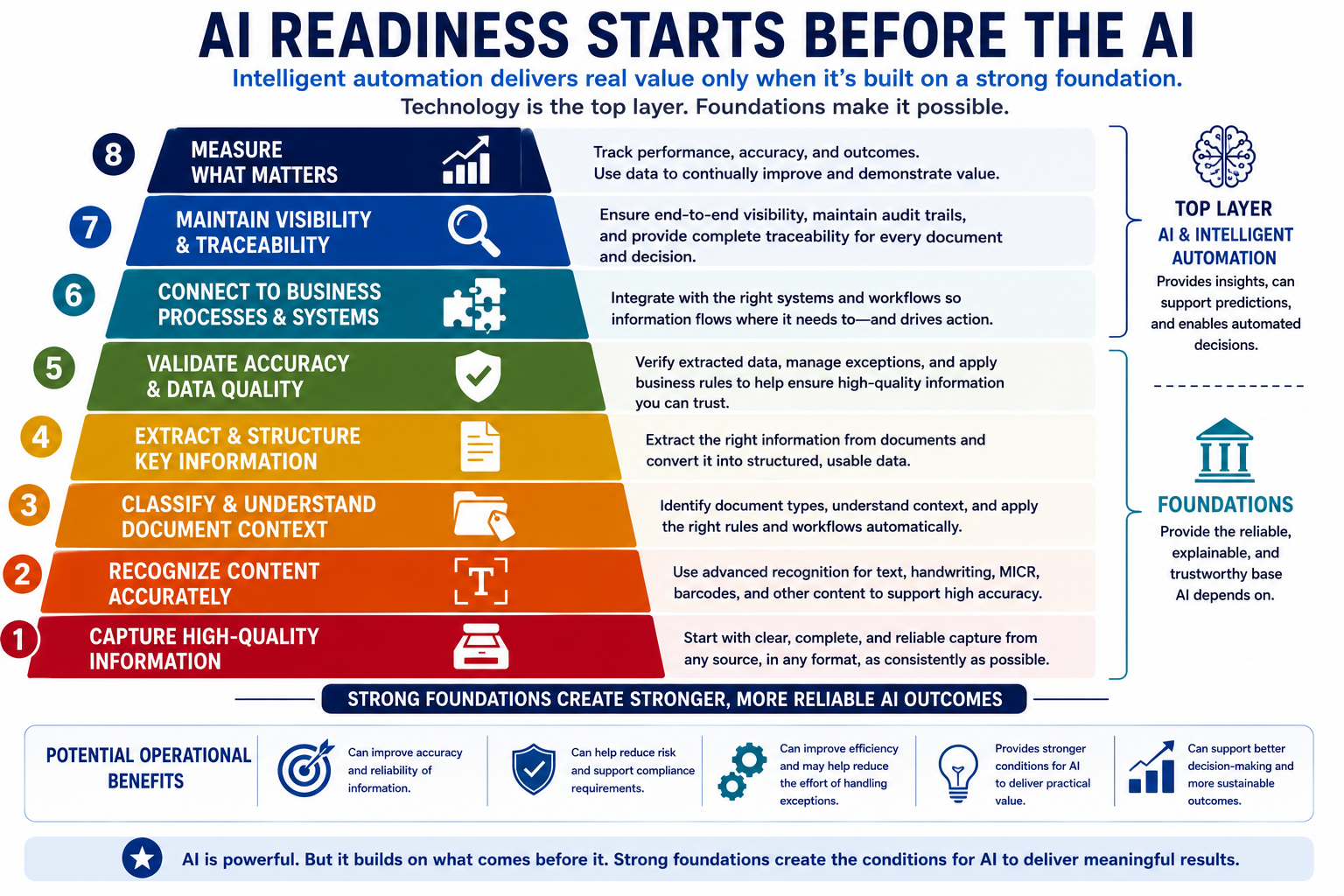
Together, these eight foundations create an environment in which intelligent automation can deliver practical value rather than simply adding another technology layer.
Agissar’s Evolution From Capture to Intelligent Information Processing
For Agissar, this progression is a natural extension of work that began long before today’s AI conversation.
The company’s document-processing solutions have addressed the physical and operational stages where information enters an organization.
Agissar’s IDC – Integrated Document Capture Extract connected automated mail extraction with scanning for inbound document image capture.
INFOPointe™ extended real-time data collection across automated mailroom, print, and scanning equipment while interfacing with the INFOPoll® Enterprise Edition platform.
WebWarehouse® further supports process visibility by helping organizations determine the status and location of documents or components and understand when they were last handled.
These capabilities address an important reality:
Intelligent document processing does not begin in isolation inside an AI model.
There is an operational journey around the information.
Physical items arrive.
Information is captured.
Processes are measured.
Documents and transactions move.
Exceptions occur.
Status matters.
And organizations need to know what happened.
As capture technology evolves, that operational foundation creates an increasingly important bridge between physical information and intelligent digital processing.
Looking Ahead: What Is AI Vision Intelligent Capture?
The next stage of this discussion takes us beyond OCR alone.
What happens when intelligent capture needs to work with different kinds of visual information—documents, handwriting, forms, barcodes, checks, packages, and printed information—within a connected processing environment?
How does AI Vision differ from conventional OCR?
Where does intelligent classification fit?
How can captured information move from recognition into an actual transaction?
And what happens when capture, classification, extraction, processing, and operational measurement become parts of the same platform?
These questions point toward an emerging direction in intelligent capture.
In our next article, we’ll explore:
What Is AI Vision Intelligent Capture? How AI Goes Beyond Traditional OCR
Frequently Asked Questions
What is an AI-ready document workflow?
An AI-ready document workflow provides the capture, recognition, classification, data extraction, validation, integration, visibility, and measurement foundations needed to use intelligent automation effectively.
Is OCR the same as AI document processing?
No. OCR primarily converts text contained in an image into machine-readable characters. Broader document-processing systems can add capabilities such as classification, structured data extraction, validation, routing, and workflow integration.
Why is document classification important?
Document classification establishes what type of document or information has entered a process. That context can determine which information should be extracted and which processing path should follow.
Can modern OCR recognize handwriting?
Some modern OCR and document-recognition technologies support handwriting recognition. Performance varies with the technology, language support, image quality, handwriting characteristics, and the specific documents being processed, so representative testing is important.
Why is human review still important in intelligent document processing?
Some inputs are uncertain, incomplete, unfamiliar, or difficult to interpret. Confidence thresholds, validation rules, and human review can help organizations manage those exceptions rather than assuming every item should be processed automatically.
What makes captured information useful for automation?
Information becomes more useful to downstream automation when relevant data can be identified, structured, validated where necessary, and connected to the business system or workflow that needs it.
What is the difference between digitization and intelligent capture?
Digitization creates a digital representation of physical information. Intelligent capture goes further by recognizing, classifying, extracting, validating, and directing useful information into business processes.
Does an organization need AI to improve document workflows?
Not necessarily. Many workflow improvements come from better capture, visibility, integration, measurement, and conventional automation. AI can add capabilities where appropriate, but it should solve a defined processing problem rather than simply being added because AI is available.
Key Takeaways
- An AI-enabled tool and an AI-ready workflow are not the same thing.
- High-quality capture matters because downstream processing depends on usable inputs.
- OCR is an important recognition technology, but recognition alone does not create an intelligent workflow.
- Classification gives incoming information context.
- Structured extraction turns relevant information into data that downstream systems can use.
- Validation and human review provide practical ways to manage uncertainty.
- Integration connects captured information to business action.
- Visibility and traceability help maintain accountability as automation expands.
- Measurement shows where processes are working and where they need improvement.
- AI readiness starts with the workflow surrounding the technology—not simply the AI itself.
Conclusion
The rush toward artificial intelligence can make document automation sound simpler than it really is.
Install AI.
Automate the documents.
Eliminate the manual work.
Real operations are more complicated.
Information arrives in different formats. Image quality varies. Documents need context. Relevant data has to be identified. Exceptions need attention. Captured information must reach another process. Managers need visibility. Results need to be measured.
That is why the most important question may not be:
“Which AI should we add?”
It may be:
“Is our document workflow ready for AI?”
Organizations that build strong capture, recognition, classification, extraction, validation, integration, visibility, and measurement foundations are better prepared to use increasingly intelligent technologies where they make practical sense.
AI readiness begins before the AI.
It begins with the information—and the workflow that carries it.
Table of Contents
Share This!
Related Posts



Agissar not only has a history of game-changing advances in the mail extraction industry, we also have a stellar reputation for excellent products, services and attention to detail that has been built over decades. It shows in our relationships with suppliers, clients, and our ability to get excellent value for your dollar while supporting a wide range of mailing, imaging, and office products from the simple to the complex. We can custom tailor service programs to meet your needs and help you get to the top of your industry, all you need to do is contact us today!